
Xe Apps
Xe-Flipbook
FreemacOS 15+ · Apple SiliconA fast, focused flipbook viewer for VFX image sequences on the Mac. Play back renders with real colour management, then load an editorial QuickTime alongside and wipe between them frame-locked. Built on OpenImageIO and OpenColorIO so it reads what your renderer wrote.
What it does
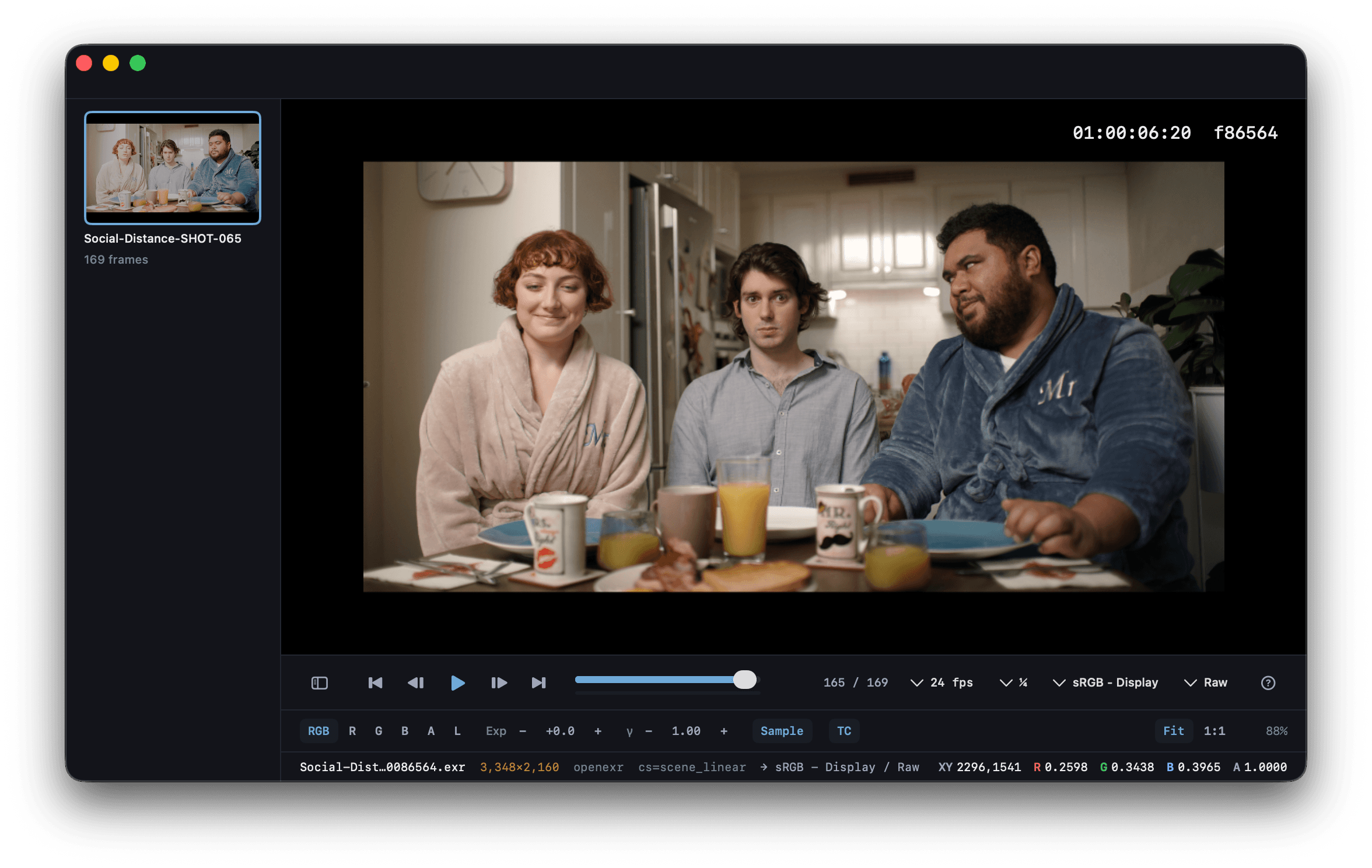
Xe-Flipbook plays back image sequences the way VFX and post expect them. It decodes scanline, tiled, and multipart EXRs, and applies an OCIO display transform so what you see matches the renderer’s intent.
Drop a folder onto the window and it turns every sequence in there into a sidebar tile. Arrow-key between them and the playhead holds its frame, so you can flip between versions of a shot and land on matching frames.
Load a QuickTime alongside (an editorial cut, an offline, another render), right-click it and set it as Compare (B). A vertical wipe handle appears over the viewer; drag it to reveal the reference underneath, frame-locked to whatever you’re playing.
How it works
Drop it
Drag a folder of frames, a single image, or a QuickTime movie onto the window. Every sequence in a folder becomes its own tile in the sidebar.
Play it back
Pick a frame rate (12, 23.976, 24, 25, 29.97, 30, 48, 50, 60) and hit space. Scrub the timeline, step frame-by-frame, or arrow-key between versions with the playhead locked.
Compare it
Right-click a reference movie in the sidebar → Set as Compare (B), then drag the wipe handle across the viewer to check your render against editorial, frame-for-frame.
Download
Xe-Flipbook 1.3.3 · Free
macOS 15.3+ · Apple Silicon · 31 MB